

99 Nights in the Forest Ultimate GUI Script – Auto-Farm, Kill Aura, Teleport Chests
11 views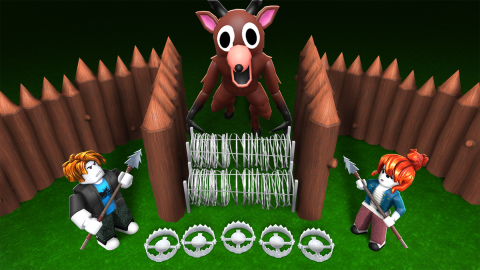
Description
The 99 Nights in the Forest Ultimate GUI Script is an all-inclusive survival automation engine engineered specifically to conquer the unforgiving, resource-heavy wilderness of the Roblox title 99 Nights in the Forest. Survival simulators demand constant vigilance over vitals, aggressive resource gathering, and fast combat reaction times. This premium utility completely removes the stress of manual upkeep by handling resource collection, cooking, healing, and defense automatically.
Equipped with an advanced graphical user interface (GUI), this script condenses complex background memory manipulations into simple toggle buttons and sliders. It delivers seamless optimization across both mobile injectors and PC execution platforms, ensuring your frames stay completely smooth even during hectic night-time mob swarms.
Key Link: https://pastebin.com/raw/sgCP2ExE
Key Features & Survival Automation Modules
1. Automated Survival & Vitals Upkeep
- Instant Auto-Bandage & Auto-Eat: Keeps your character completely insulated from death by monitoring your health and hunger gauges in real time, automatically consuming food or applying medical wraps the microsecond your stats drop.
- Auto Crock Pot & Automated Cooking: Manages your kitchen setup automatically, feeding raw ingredients into the Crock Pot to output high-tier recipes without requiring manual interaction.
- Auto Chest Inventory Management: Sorts your acquired materials, tools, and drops into nearby storage units instantly, keeping your inventory completely clutter-free.
2. Combat Mastery & Hitbox Expansion
- High-Velocity Kill Aura: Injects a lethal combat perimeter around your character, automatically striking all aggressive wildlife and monsters inside the radius with frame-perfect precision.
- Target Isolation (Killaura Targets): Includes a specialized filter menu allowing you to specify exactly which hostile entities the Kill Aura should prioritize or ignore.
- Hitbox Expansion Utility: Artificially inflates enemy target hitboxes to a custom size, ensuring your manual weapon swings and ranged projectiles connect cleanly even from a distance.
3. Infinite Resource & Forestry Agriculture
- Tree Farm & Infinite Saplings: Completely automates your forestry loops by instantly planting, cultivating, and felling trees to build an infinite wood and item reserve.
- Auto Collect Vacuum: Scans the ground continuously, immediately vacuuming up loose sticks, rocks, berries, and mob drops within your immediate area.
- Plant & Build Stuff Automation: Streamlines base fortification by instantly placing structural barriers, traps, and utility stations across your camp layout.
4. World Exploration & Teleportation Matrix
- Teleport All Chests: Instantly relocates or updates the coordinates of all hidden supply containers across the wilderness, giving you direct access to top-tier loot maps.
- Bring Stuff Utility: Uses local network packets to pull critical survival items and scattered resources directly to your character’s physical position.
- Full Map Visual Reveal: Completely strips away the in-game fog of war, rendering a high-visibility, fully revealed map overlay that highlights exact landmark positions and point-of-interest markers.
How to Execute the Script Safely
- Launch an updated, secure Roblox injector environment compatible with your active device setup (such as Delta, Hydrogen, or Wave).
- Load directly into an active game server of 99 Nights in the Forest.
- Bring up your injector overlay console interface and wipe out any previous script text strings from your active tab canvas.
- Copy the complete, raw Ultimate GUI Lua loadstring block provided in your asset directory below and paste it directly into your console text workspace.
- Click “Execute” or “Inject” to initialize the script framework and pull up the interactive graphical survival deck cleanly over your game screen viewport.
Features
Compatible Executors
Script
loadstring(game:HttpGet("https://pastebin.com/raw/sgCP2ExE", true))()Comments (0)

No comments yet. Be the first!