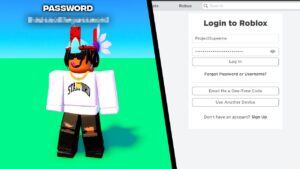
You can’t “check” your Roblox password (see what it is), but you can easily change it if you’re logged in by going to Settings > Account Info > Change Password, entering your current and new passwords. If you’ve forgotten it, use the “Forgot Password or Username?” link on the login page to reset it via email or phone, or use a passkey for passwordless login.
How to Change Your Password?
This video shows how to change your password if you are already logged in:
- Log in to your Roblox account.
- Click the gear icon (Settings) on the website or the three dots (More) in the app.
- Go to the Account Info tab.
- Click the Change Password button (pencil icon).
- Enter your current password, then your new password twice for confirmation, and click Update.
How to Reset/Change Roblox Password (If You Forgot It)?
This video demonstrates how to reset your password if you have forgotten it:
- Go to the Roblox login page and click Forgot Password or Username?.
- Enter the email or phone number associated with your account and press Submit.
- Follow the instructions in the email or text message you receive to reset your password on the provided link.
Security Tips
- Don’t Share: Never share your password with anyone.
- Use Passkeys: Set up passkeys for a more secure, password-free login using your device’s biometrics (fingerprint/face ID).
- 2-Step Verification: Enable 2-Step Verification for an extra layer of security.