Every week, there is something new on the internet. A camera transition, lighting style, or fast-cut storytelling style appears on every other creator’s feed. Being on top of these trends is what makes all the difference for creators. The only problem is speed. By the time they are ready to shoot and edit the content, the trend is over. This is where AI-generated videos shine for content creators.
Pippit is just one such AI model that helps creators make videos based on trends using prompts and references. Advanced AI models, such as Seedance 2.0, help recreate visual patterns, camera movements, and editing styles, all while keeping high visual consistency. This is because the AI is able to understand the visual style and automatically start creating the scene.
This is what makes it so good for content creators because they do not have to waste their time and effort recreating the scene and the style.
Why viral video formats spread so quickly
Social media trends are effective because people recognize instant patterns in a video’s visuals. A specific video style is familiar and interesting to a wide range of people.
The reason creators copy a social media style is that it is already effective. Most viral videos have a few characteristics in common:
- Quick visual grabs in the first few seconds of a video
- Distinctive video editing style
- Smooth transitions between video clips
- Good use of visual storytelling
If all of these are well executed, a video is more likely to hold a viewer’s attention and engage them for a longer time.
The use of AI video tools helps creators test out different video styles. Instead of manually cutting and joining multiple videos, creators can use AI to generate multiple videos and test which style is most effective for their audience.
Recreating familiar video aesthetics
There are several viral videos that are easily recognizable because of their unique visuals. Some videos use dramatic lighting effects and slow-motion shots, while others use a fast-moving camera and quick cuts.
AI video tools can interpret a creator’s prompts to generate a video with a specific style. Video generation AI models can understand prompts that describe these styles and create complete scenes from them. Users can also influence the content of the video by referencing specific environments or camera movements.
For example, a user who wants to try out aesthetic storytelling with AI video generation can create content with scenes such as:
- Glowing city lights with dramatic camera movements
- Close-up scenes of products with smooth rotation
- Lifestyle scenes with natural lighting and movement
These images create an aesthetic feel to the content without the hassle of production.
Using reference clips to mirror trending formats
Some of the most popular content on social media has a common format. It usually starts with an intro scene, followed by a quick reveal, and then continues with other visual content to keep the audience engaged.
With AI video generation, it is possible to create content that is formatted similarly to reference clips. Users can upload reference images or short video clips to influence the content of the video.
Using this method, it is possible to create content with patterns such as:
- How transitions happen from one scene to another
- How the camera moves through the environment
- How visual focus is given to specific parts of the content
The end result is a video that is familiar with regard to its format but still allows the creator to add new ideas to it.
Building multi-shot scenes without complex editing
Another factor that makes a video “viral” is the use of multiple shots. Instead of using one video clip to get a story across to the audience, multiple clips are used to keep the audience engaged.
With AI video models, it is now possible to create multiple shot scenes that still work well. For instance, it is now possible to switch from wide-angle shots to close-up shots while still keeping a consistent level of illumination.
For creators of content, this is a major advantage. With AI video models, it is now easier to create engaging content without struggling with multiple video clips.
Generating viral-style content with Pippit
For content creators who wish to get from an idea to a “viral” video as quickly as possible, it is essential to use a system that streamlines the creation of content. With Pippit’s latest Seedancemodel, this is now possible.
Below is the simple process that content creators use to generate “viral” style content.
Step 1: Open the video generator
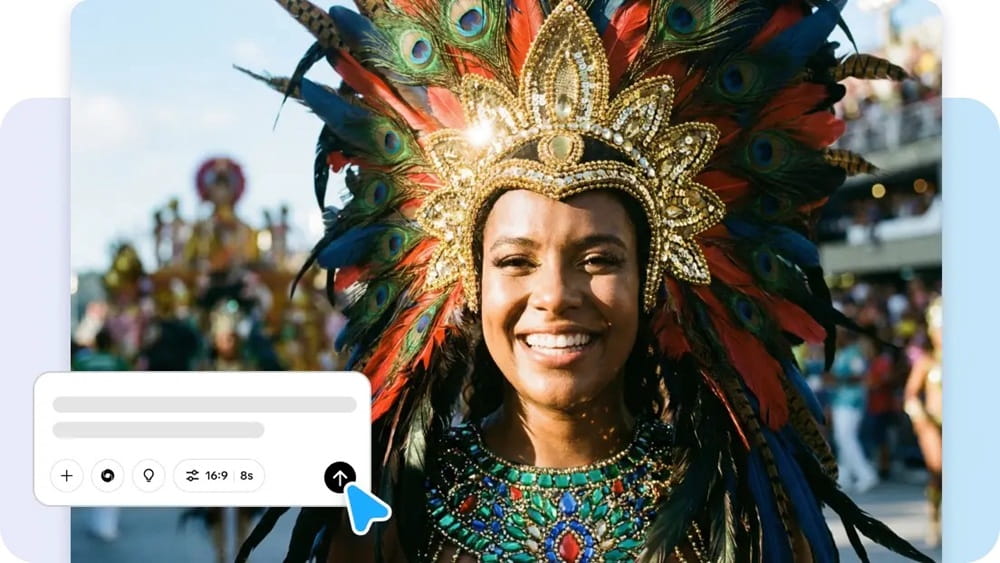
To begin, sign up for Pippit and open its home page. Then, click Video from the main dashboard or open Video generator from the left menu. Enter the prompt, clearly stating the video’s style, tone, and camera shots. An artist may enter, for instance, a cinematic video for social media where the character is walking down the street, and the camera rotates while reflections of neon lights move across the environment.
Step 2: Generate the video
Next, click Add media and more to upload reference materials such as images, URLs, or other materials to help guide the video. You can then choose your preferred mode, such as Lite mode, Agent mode, Veo 3.1, or Sora 2, according to the video needs you have. When using Agent mode, you can also upload a reference video to help the AI understand the video style you are looking for. You can then click Customize video settings to customize the video’s length and spoken language, then click Generate to create the video.
Step 3: Modify and export
After creating a video, click on it and press the play button to view it. If there is a need to edit it, click on “Edit more” to edit it using various editing tools such as “Crop,” “Stabilize,” “Colors,” or “Change background.”
Once the video is ready to be shared with others, click on “Download” to save it or “Publish” to publish it on your social media sites.
Shaping motion, rhythm, and storytelling with AI
Viral content is often characterized by its motion and rhythm. Scenes change quickly, motions appear dynamic, and the content has an engaging rhythm.
With AI video generation, it is now easier to create engaging content with an appealing rhythm. For instance, content creators may choose to create content with scenes that change quickly or with motions that appear dynamic.
Some of the possibilities with AI video generation include:
- Creating slow motion with a cinematic camera to create storytelling content
- Creating content with scenes that change quickly to create trend content
- Creating content with dramatic lighting to create visually appealing content
This flexibility helps them explore multiple creative avenues without having to recreate content from scratch.
Experimenting with multiple trend variations
Trends on social media change rapidly, and content creators often have to try out multiple versions of an idea before settling on the one they feel will work best.
With AI video tools, content creators can try out multiple versions of a video by modifying their prompt, reference, and settings. What starts as a single idea can quickly turn into multiple creative avenues.
This experimentation helps content creators explore new avenues of creativity while remaining connected to current trends.
Keeping creative momentum with AI video tools
For social media content creators, it is essential to maintain consistency in their output and stay connected to current trends.
AI video generation tools allow content creators to produce high-quality videos without needing to spend too much time editing. By combining multiple prompts, references, and using AI to create scenes, content creators can produce high-quality videos.
Tools like Pippit can help content creators do this in one place, and with advanced AI tools supporting them, they can quickly turn their creative ideas into engaging content.