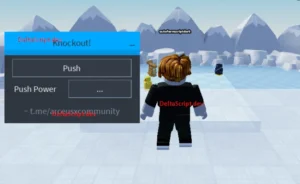
The Glide for Brainrots Script is an automated tool made specifically for the Roblox game “Glide for Brainrots.” It provides advanced functionality such as Auto Chroma, Remove Disaster, Auto Rebirth, Auto Cash Collection, and Speed Boosts.
This is a special helper tool for the Roblox game “Glide for Brainrots”. In the game, you get to fly (glide), pick up brainrots, make money, and attempt to become stronger. However, sometimes disasters occur, making the game more difficult.
This script will assist you in playing the game by automatically doing lots of things so that the game becomes easier and faster. It is like an auto-helper that helps you by playing some roles for you.
What Does Glide for Brainrots Script Do?
Here are the key features explained in super simple terms:
1️⃣ Remove Disaster
- Sometimes, disasters occur in the game that can ruin your flight.
- This feature removes the disasters so you can fly smoothly.
2️⃣ Auto Chroma
- Chroma brainrots are better and stronger.
- This feature automatically searches for and gathers the stronger brainrots for you.
3️⃣ Collect Cash
- It automatically gathers money when you play.
- You don’t have to click repeatedly.
4️⃣ Buy Speed +10
- Speed increases your gliding speed.
- This feature automatically purchases speed boosts so you can move faster.
5️⃣ Auto Rebirth
- Rebirth is when you restart your progress to become stronger.
- This feature automatically does it for you at the right time so you can level up faster.
Glide for Brainrots Script Code
loadstring(game:HttpGet("https://raw.githubusercontent.com/gumanba/Scripts/main/GlideforBrainrots"))()OP GUI Glide for Brainrots
loadstring(game:HttpGet("https://pastebin.com/raw/kuZQcqki"))()How to Use Glide for Brainrots Scripts
- Install a trusted Roblox executor (see the compatible list below).
- Open Roblox and join Glide for Brainrots Script.
- Launch the executor and attach it to Roblox.
- Paste your chosen script code into the executor.
- Click Execute and wait a few seconds for the GUI or features to load.
- Start using features like auto attack, ESP, and auto farm immediately.
Why Do Players Use It?
- Players use this script because:
- It saves time
- It makes progress faster
- It removes annoying disasters
- It collects money automatically
- It helps you level up quickly
- Instead of doing everything manually, the script helps you.
Best Executors for Glide for Brainrots Script Roblox
This Best Executors for Glide for Brainrots Script Roblox has been tested and works smoothly with popular Roblox executors, including:
Important Note
Scripts are not official tools created by Roblox. Using scripts in Roblox games can be dangerous. Your account might receive a warning or be banned by the game. Always be cautious when using third-party tools.
Frequently Asked Questions (FAQ)
Q.1. What is Auto Chroma in Glide for Brainrots?
Auto Chroma automatically collects high-tier brainrots for better rewards.
Q.2. Does the script work on mobile?
Yes, it is compatible with Android and iOS (with supported executors).
Q.3. Can I get banned for using this script?
Yes, there is always a risk when using third-party Roblox scripts.
Q.4. s the script free?
Availability depends on the provider (Tora Hub).