SoundCloud is a goldmine for music lovers. It is the home of underground artists, exclusive DJ mixes, fresh remixes, and tracks you simply cannot find anywhere else . However, nothing is more frustrating than finding the perfect song only to realize you cannot take it with you.
While streaming is great, what happens when you lose Wi-Fi on a flight, burn through your mobile data, or an artist suddenly removes their track? You get locked out. If you want true offline freedom, you need a reliable way to download music from SoundCloud to MP3.
In this guide, we’ll explore why most online methods fail and introduce you to the gold standard for audio preservation: ViWizard Streaming Audio Recorder.
Why Can’t I Just Download Tracks from SoundCloud?
Unlike stock photo sites, SoundCloud operates on strict copyright rules. Unless an uploader specifically enables a “Download” button on their track (or you have a SoundCloud Go+ subscription for in-app listening), saving files directly to your computer as MP3s is against the platform’s Terms of Service.
The reality is:
- The “Download” button is rare. Most artists disable it to protect their work.
- Go+ downloads are locked. Even with a subscription, you can only play those files inside the SoundCloud app—you cannot transfer them to an MP3 player, car stereo, or DJ software.
This is why third-party tools are necessary, but not all tools are created equal.
The Problem with “Free” Online SoundCloud Converters
You might see websites promising to convert SoundCloud to MP3 for free. You should avoid these at all costs. Here is why:
- Malware Risks: These sites are often riddled with pop-up ads and malicious scripts that can infect your computer.
- Abysmal Audio Quality: Most free converters cap your downloads at 128kbps. For comparison, that is the audio equivalent of a blurry, pixelated photo. You lose the bass and the highs.
- Unreliable: As one user noted regarding a popular converter, “All of a sudden… it keeps telling me this song cannot be found”. Developers abandon these tools constantly.
The Solution: ViWizard Streaming Audio Recorder
If you are serious about building a permanent, high-quality music library, you need a professional desktop solution. ViWizard Streaming Audio Recorder is the ultimate tool for anyone looking to download music from SoundCloud to MP3 with zero quality loss.
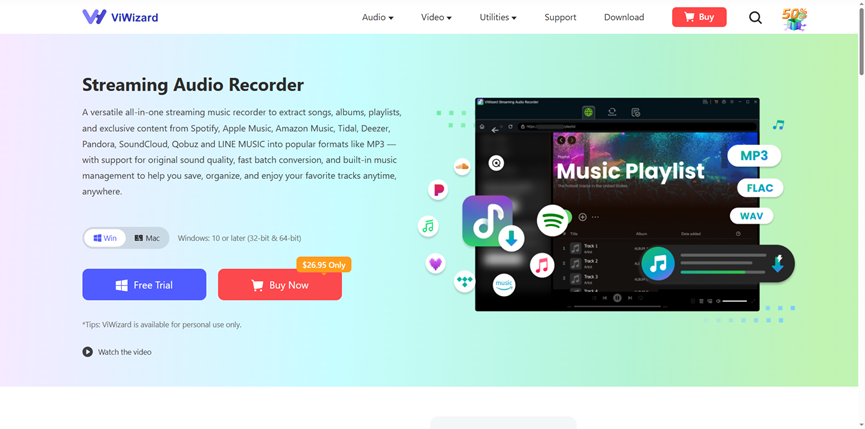
Unlike shady websites, ViWizard is a dedicated software for Windows and Mac that acts as a bridge between the streaming world and your personal hard drive.
Why ViWizard is the Superior Choice?
- Lossless Quality (320kbps)
ViWizard shatters the myth that downloaded audio must sound bad. It captures the original audio stream bit-for-bit. You can set your output to MP3 with a 320kbps bit rate, ensuring your tracks sound as crisp as a CD.
- It Captures Everything
Does the track have no download button? Is it a locked “Go+” exclusive? ViWizard doesn’t care about permissions set by the uploader; it converts the audio as it plays, creating a perfect, unrestricted MP3 copy.
- Smart ID3 Tagging
Remember the old days of “Track01.mp3”? Neither does ViWizard. It automatically saves the Artist Name, Song Title, and Album Art directly into the file. Your iTunes or Media Player library will stay perfectly organized.
- Built for Batches
Why download one song at a time? ViWizard supports batch processing. You can queue up entire playlists or albums and let the software run while you sleep.
How to Download Music from SoundCloud to MP3 with ViWizard
Ready to take control of your music? Follow these simple steps:
Step 1: Install and Launch
Download ViWizard from the official website and install it on your PC or Mac. Open the program to see the intuitive dashboard.
Step 2: Set Up MP3 Output
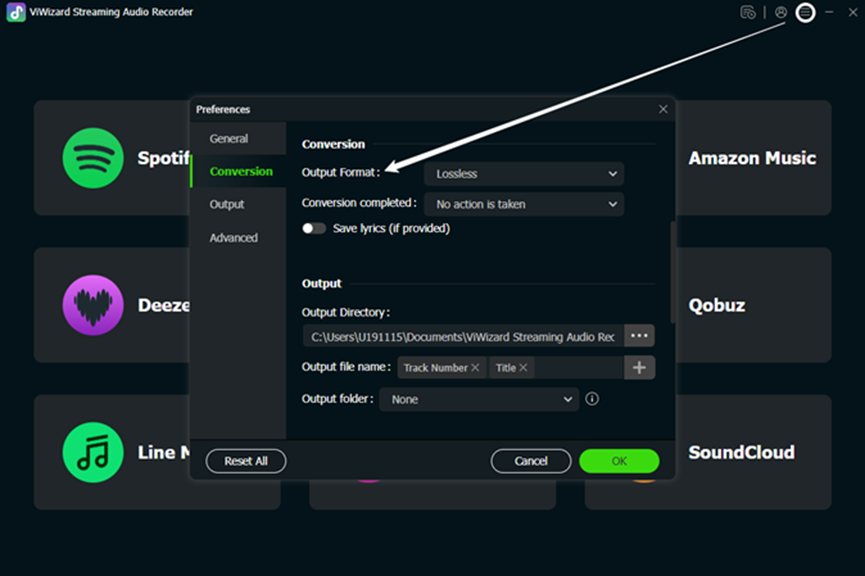
Before you start, click the “Menu” bar (three lines) and go to Preferences. Under “Convert,” select MP3 as your output format. You can adjust the bit rate here—set it to 320kbps for maximum quality .
Step 3: Open SoundCloud
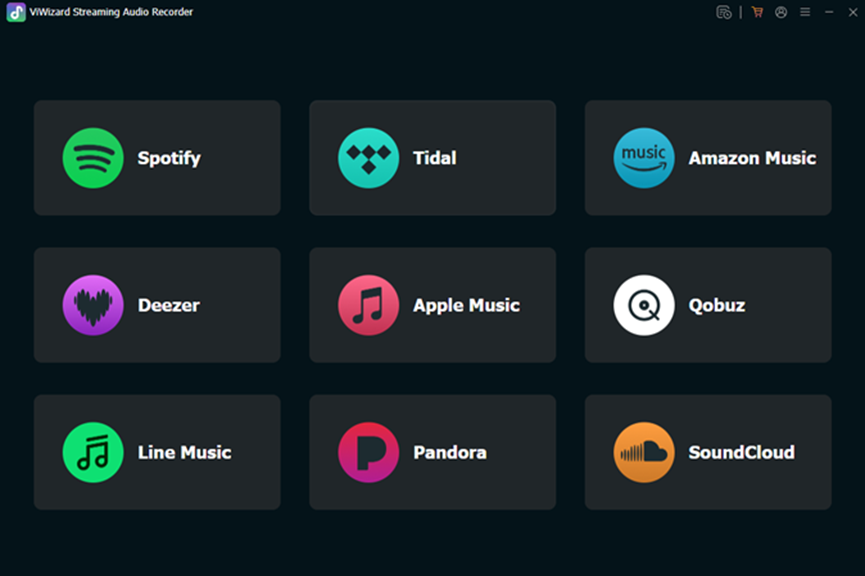
Inside ViWizard, click on the SoundCloud icon. This will open a built-in web browser. Log in to your SoundCloud account here. (Pro Tip: Logging in gives you access to your private playlists and “Liked” tracks).
Step 4: Import Your Tracks
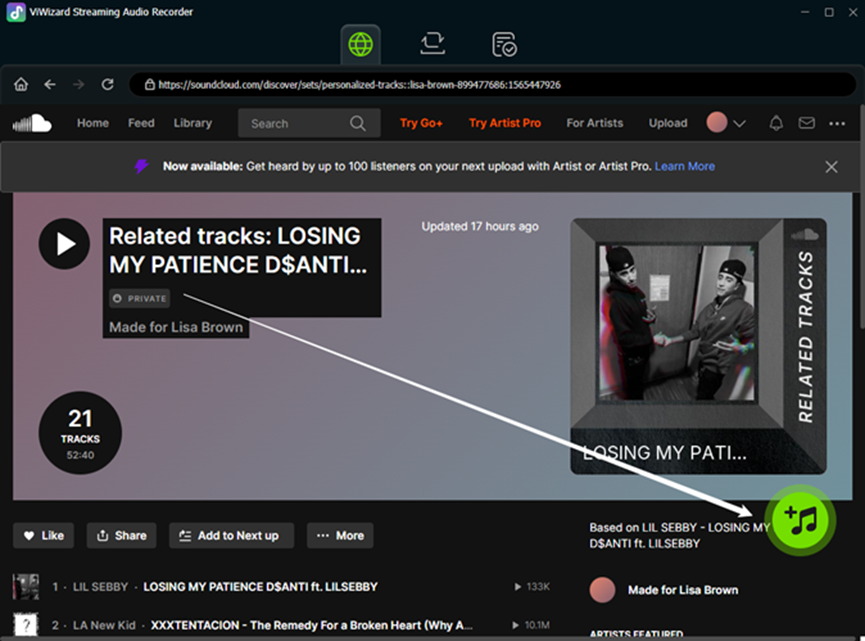
Browse SoundCloud like you normally would. Find a song or playlist. When you hit play, ViWizard will detect it. Click the “+” (Add) button in the bottom right corner to queue it for recording .
Step 5: Download and Convert
Click the “Convert” button. ViWizard will instantly begin recording the stream. The process is lightning-fast and maintains 100% of the original audio fidelity . Once finished, click the “History” or “Folder” icon to find your brand new, unrestricted MP3 files, ready to transfer to your phone, USB drive, or cloud storage.
Final Verdict
While it is important to support artists by streaming their work, you also have the right to listen to music you love without being tethered to the internet. Free online downloaders are a gamble—risky, slow, and low-quality.
ViWizard offers a secure, fast, and lossless experience. Whether you are a DJ needing stems, a commuter with limited data, or a collector building a library, this is the best tool to download music from SoundCloud to MP3.
Ready to unlock your music? Download ViWizard today and never lose a favorite track again.