Drift Executor is a free script executor for Roblox on PC that is keyless. This means that users are able to inject and execute Lua scripts on a variety of games. The tool is ideal for beginners and experts alike, providing a fast experience, script compatibility, and smooth execution without the need for a key.
Drift was built with a high execution level of UNC/sUNC, allowing it to execute most modern Roblox scripts without any issues. With its new injection technique, clean UI, and regular updates, Drift is a reliable tool to automate your gameplay, test your game mechanics, and execute complex scripts.
To be on the safe side, it is always important to download the Drift Executor from authorized sources and avoid the use of false or altered versions of the file.
Drift runs as a third-party external tool, which might demand the use of inject or bypass techniques to work properly on PC.
What Is Drift Executor?
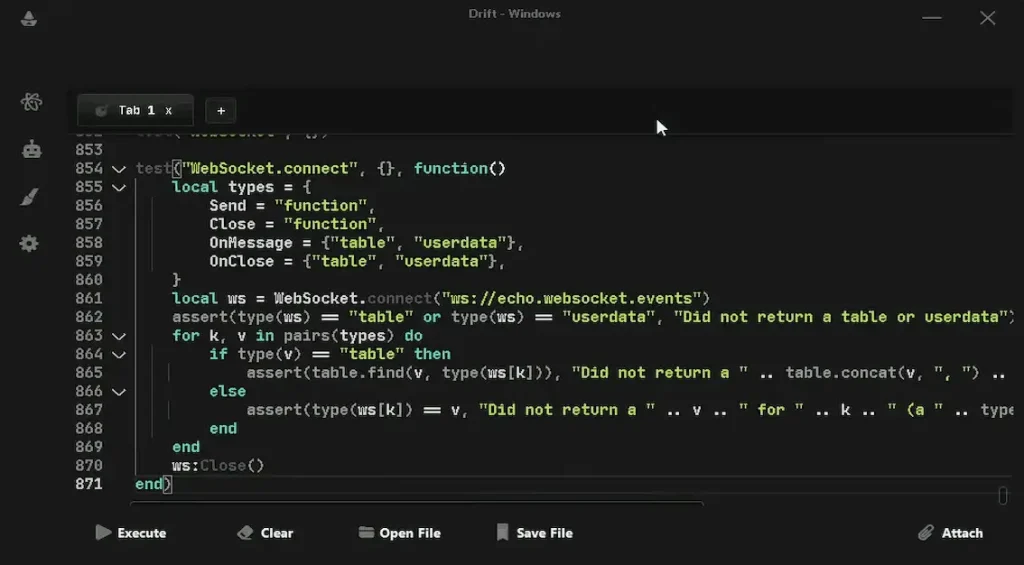
“Drift Executor” is a free script executor, meaning that it doesn’t require any key, and it is keyless. It is made by the Zorara team, utilizing the source code of “Xeno.” It is used to run custom scripts inside Roblox games via the “UNC/sUNC” method, which has a high success rate in the execution of scripts.
Thanks to its new method of injection, Drift can evade the standard modified client warnings and remain compatible with the latest updates of Roblox. The modern and simple design of Drift makes it accessible to new users, and the powerful engine will surely satisfy experienced scripters.
Drift is run as a third-party external tool, which may require injection or bypass methods to run properly on PC.
How to Download Drift Executor?
The best and safe method to download the Drift Executor is by visiting the official source at Delta-Executor.org. By visiting the official source, you will be able to download the latest version of the executor with clean and safe files. It is not recommended to use other sources or websites, as they may be outdated or contain malicious executables.
How to Use Drift Executor on PC (Step by Step)
To run Roblox scripts safely and correctly, you need to do the following:
Step 1: Download & Extract
- The latest Drift Executor ZIP file can be downloaded from Delta-Executor.org.
- Right click the ZIP file → Extract All → move the extracted folder to a safe location (e.g., Desktop).
Step 2: Launch Roblox
- First, open the Roblox player as normal and join any game that you intend to use scripts in. Also, make sure that Roblox is fully updated.
Step 3: Run Drift Executor
- Open the Drift folder, right-click on the main application, and click on Run as Administrator.
- Once the interface has loaded, you can click “Attach” to connect the executor to the Roblox process.
Step 4: Insert & Execute Scripts
- Copy any Lua script → paste it into Drift’s script editor → click Execute. If the injection is successful, the script will run inside the game. You are now prepared to use custom scripts on Roblox with Drift Executor.