PandaOffice Drecov is a professional data recovery tool that helps you retrieve deleted, formatted or corrupted files from all kinds of storage media. It works with internal hard drives, SSDs, USB flash drives, SD cards and more, delivering a reliable solution for unexpected data loss.
Top Pick for Windows Users
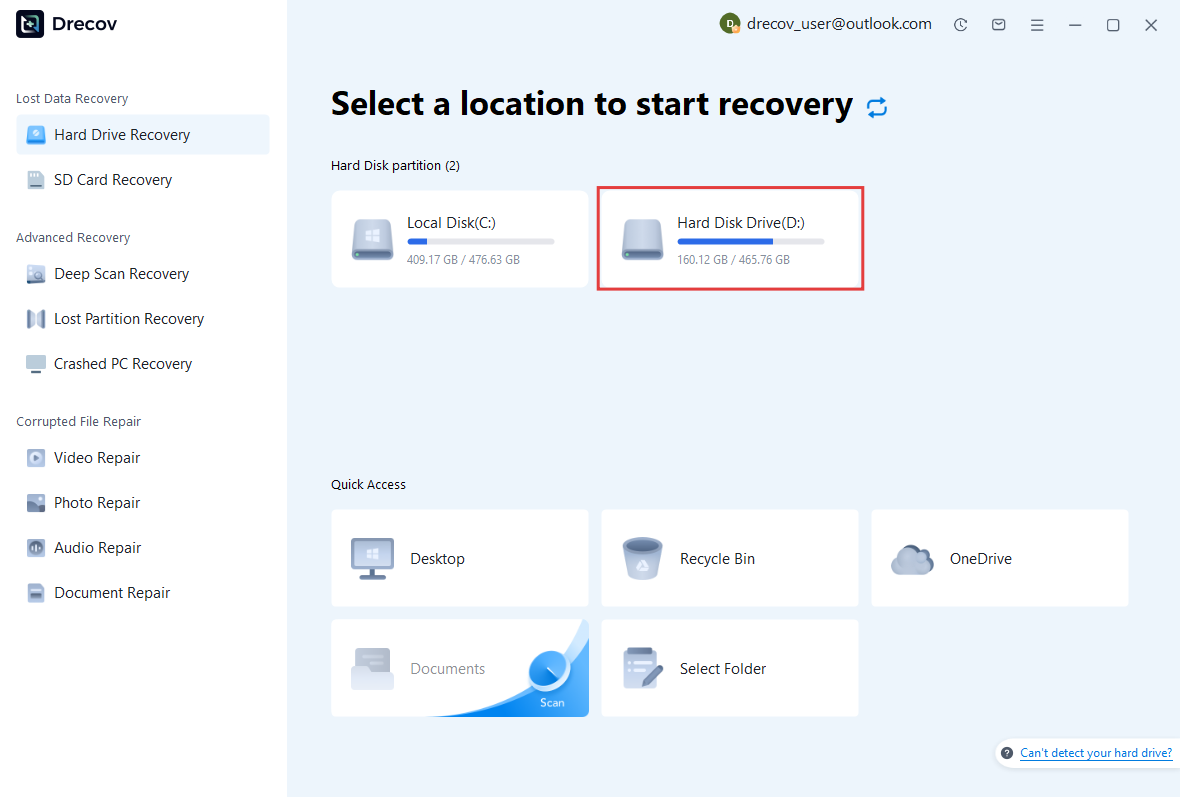
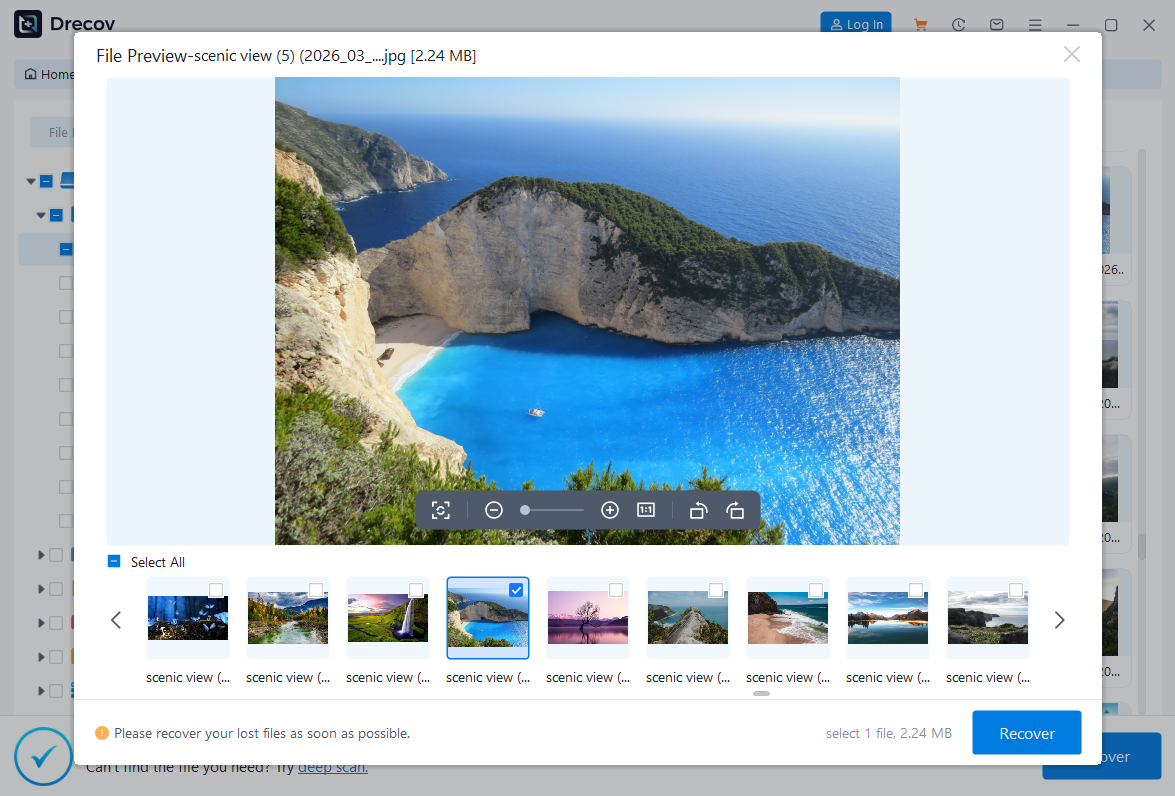
Featuring a clean and user-friendly interface, PandaOffice Data Recovery Drecov is easy to operate even for users with no technical experience. The software guides you through the entire recovery process step by step. Its standout free preview feature lets you check recoverable files at no cost, so you can confirm your data is retrievable before proceeding.
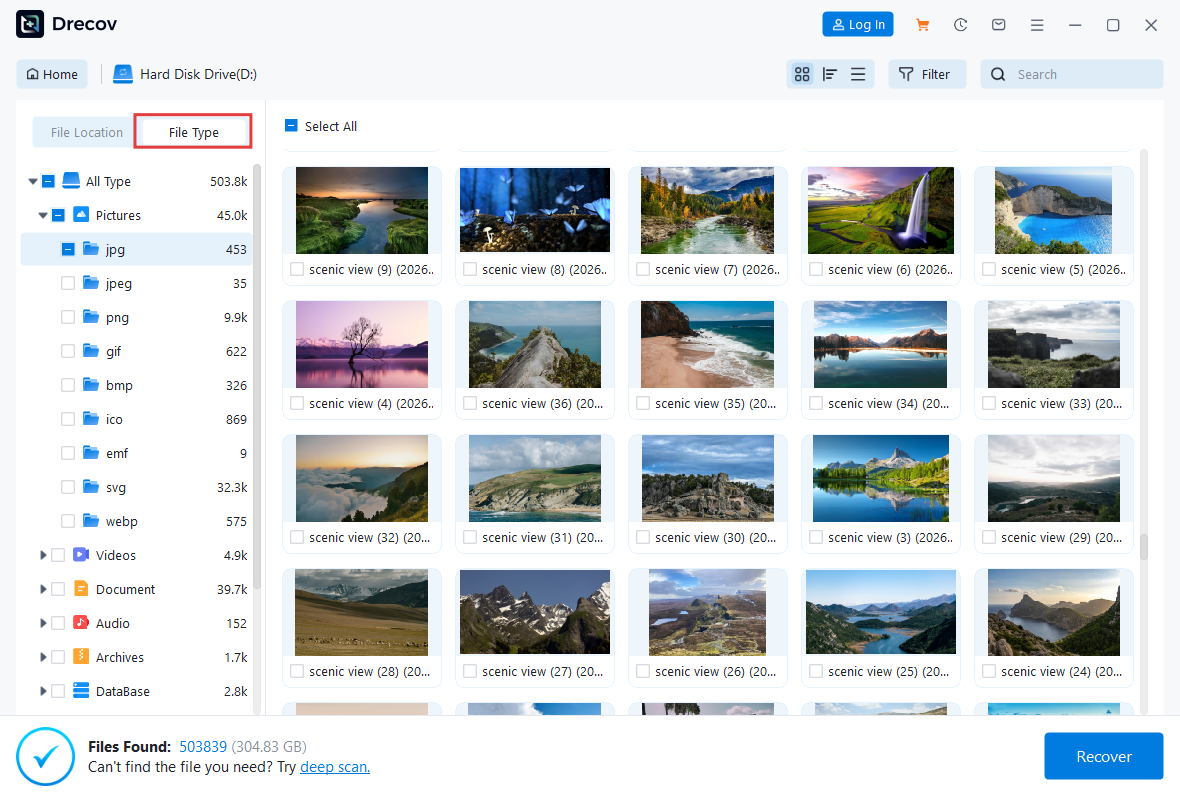
Equipped with professional recovery engines, it provides two scan modes: Quick Scan for recently deleted files, and Deep Scan that runs sector-by-sector analysis for formatted or damaged storage devices. It supports over 3000 file formats, including documents (DOCX, XLSX, PDF), images (JPG, PNG, RAW), videos (MP4, MKV, AVI), emails (PST, EMLX) and compressed archives (ZIP, RAR), covering nearly all daily recovery demands.
Free Preview & One-Click Recovery
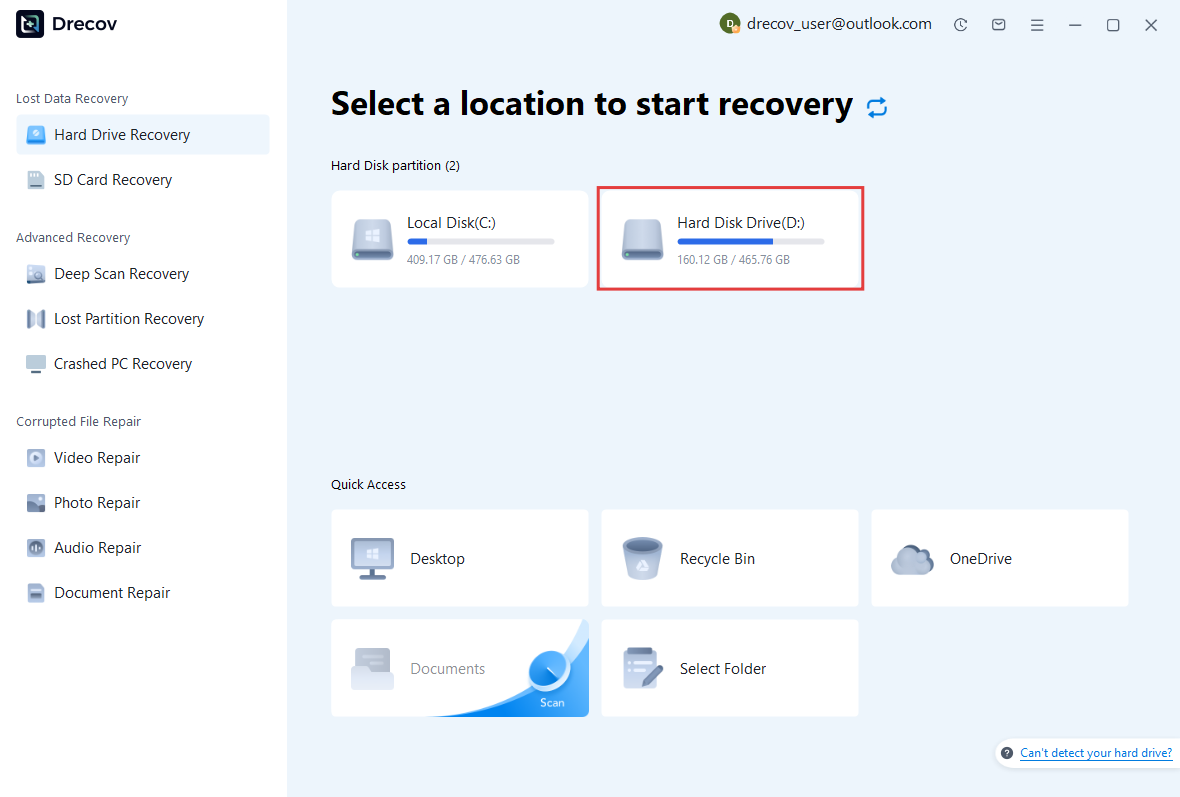
One of our core advantages is unlimited free preview. You can fully scan your device and view all found files without any charges. The workflow is simple: select a storage device, start scanning, preview files and complete recovery. The free version handles basic data loss issues well. Advanced features such as bulk recovery of large files and corrupted file repair require a paid upgrade. Note that scanning speed varies depending on the device capacity and health condition.
Competitor Comparison & Core Advantages
Popular alternatives include Recuva, Disk Drill and PhotoRec. Recuva is lightweight and portable, Disk Drill offers cross-platform support, while PhotoRec is renowned for powerful deep scanning.
PandaOffice Data Recovery Software stands out with exclusive Windows optimization, intuitive operation and free file preview. You can verify recoverability with zero cost a key edge over competing products. Upgrading to the full version unlocks unlimited recovery quota, advanced scan options and priority technical support to resolve complex data loss problems.
Key Features
- Intuitive interface, friendly for beginners
- Unlimited free preview to verify files before recovery
- Support for 3000+ file formats and multiple storage devices
- Dual scan modes: Quick Scan for efficiency & Deep Scan for thorough results
- Up to 99.8% recovery success rate for common data loss scenarios
Bottom Line: Cost-Effective Data Recovery Tool for Windows
PandaOffice Drecov is a trustworthy and easy-to-use data recovery for Windows built to recover your lost data from your Windows 7, Windows 8.1, Windows 10 & Windows 11 PC. With free preview, broad format compatibility and streamlined workflow, it efficiently fixes common issues like accidental deletion and disk formatting.
While it is limited to Windows systems and the free version has functional restrictions, its dedicated Windows optimization and risk-free preview experience set it apart. If you are a Windows user looking to restore lost files without unnecessary expenses, this is an efficient and hassle-free choice.
What’s New in This Version
Enhanced Scanning Speed & Accuracy
Quick Scan is enabled by default for partitions larger than 800GB. We have optimized partition cluster recognition, cross-sector data linkage and partition scanning algorithms, delivering faster scanning and more precise data recovery results.
Optimized File Preview Experience
Improved thumbnail loading and display performance. Video file size limits for preview have been removed, allowing full preview of videos in any size.
Comprehensive UI Upgrade
Revised the layout of desktop directory and custom path lists. Lost partitions can now be sorted by creation time. New exclusive icons are added to help you find and identify files more efficiently.
Expanded File Compatibility
Extended file format support for Deep Scan. Multiple new video and email formats are now compatible. Data reading logic is optimized for better adaptation to more devices and file types.
Bug Fixes & Stability Improvements
Fixed known bugs. Overall software stability and data recovery accuracy are greatly enhanced.