If you are living in Vietnam and having trouble using Delta Executor global version for your Roblox script execution. Don’t worry, for Vietnam users, we have Delta Executor VNG version, which is a special Delta Android version created specifically for Vietnamese players.
Delta VNG is a localized and modified version of Roblox’s Delta Executor, designed under Vietnam’s regulations. The term VNG stands for VinaGame, the well-known company behind VNG Corporation, a major tech brand responsible for operating and controlling many international apps and games within Vietnam.
Because of strict digital content laws in the country, the global Delta Executor APK will not function for Vietnamese users. This is why downloading and installing the official Delta Executor VNG version is the only working solution.
Important Tip: Only download Delta Executor VNG if you live in Vietnam. Once installed, it changes your region settings and prevents you from accessing the global Roblox version.
How To Download Delta VNG Executor on Android?
If you are new to Delta VNG Executor APK, this guide will help you understand how to download, install, and use it safely on your Android device. Without any further ado, let’s get started:
We have UploDelta Executor VNG becomes available, you can easily download and set it up on your Android device by following these steps:
- Click on the download button to get Delta VNG Latest version.
- You will be redirected to the Delta VNG download page.
- Tap on Download button to begin downloading the APK file.
- After the download completes, proceed to install the APK.
- Open your device’s file manager and locate the Delta VNG APK.
- Tap the file to start the installation.
- When prompted, allow permission to install apps from unknown sources by selecting Allow.
- The installation will begin automatically; wait for it to finish.
Once the installation is complete, Delta Executor VNG is ready to use on your Android device.
How to Use Delta VNG Executor on Android?
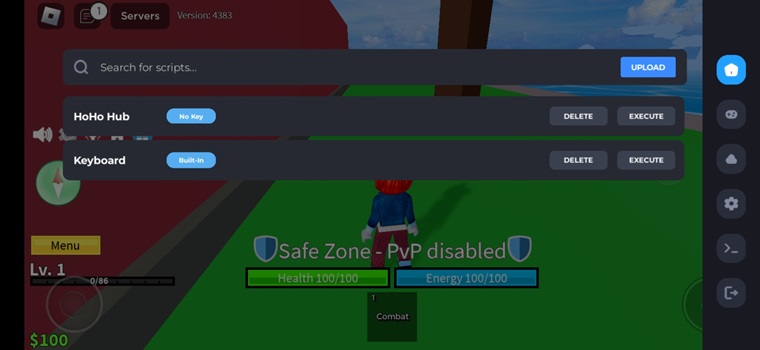
Using Delta VNG Executor is just as simple as the standard Android version. With it, you can easily run scripts in your Roblox games. Before starting, make sure you have a valid Delta Key. Then follow the steps below:
- Open the Delta Executor VNG app on your Android device.
- Search for the Roblox game you want to play.
- Tap the green Play button to launch the game.
- Once the game loads, tap the Delta GUI icon displayed on your screen.
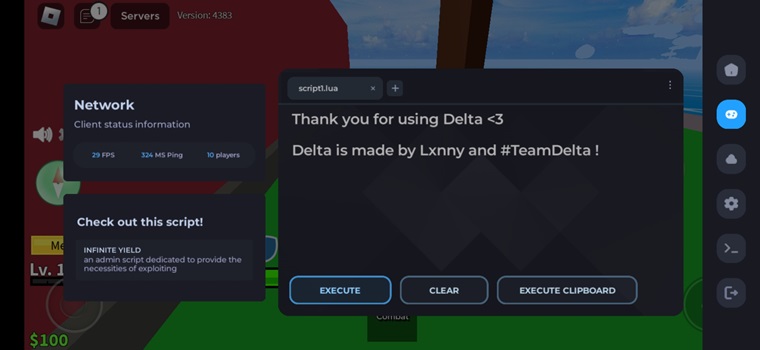
- The Delta Executor interface will open. Enter your activation key if the app asks for it.
- Navigate to the Script section and paste or type the script you want to run.
- Tap Execute to run the script.
That’s it — your script will now run inside the game, and you can enjoy all the features instantly.
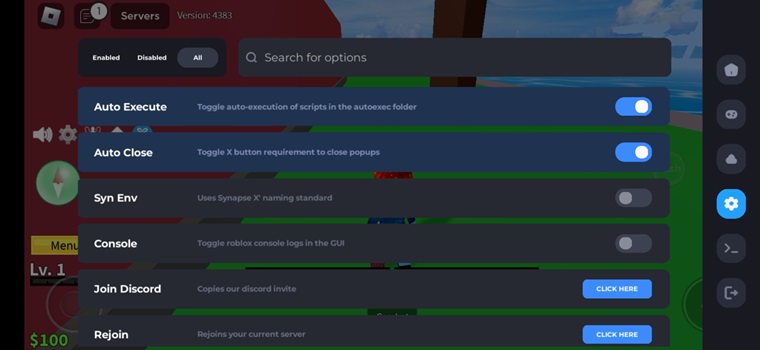
![Delta VNG v2.725 [Official] Roblox Executor – Tải về cho Android VN 1](https://www.softlay.com/downloads/wp-content/uploads/Delta-Executor-Roblox-screenshot-2-1.jpg)
![Delta VNG v2.725 [Official] Roblox Executor – Tải về cho Android VN 2](https://www.softlay.com/downloads/wp-content/uploads/Delta-Executor-Roblox-screenshot-1-1.jpg)
![Delta VNG v2.725 [Official] Roblox Executor – Tải về cho Android VN 3](https://www.softlay.com/downloads/wp-content/uploads/Delta-Executor-Roblox-screenshot-3-1.jpg)