Ronix Executor is an efficient and stable Roblox script executor for players seeking smooth automation, high script compatibility, and cross-platform functionality. Featuring a maximum of 99% UNC and 98% sUNC support, Ronix guarantees that the most popular Roblox scripts will run without any bugs or crashes.
Just like other popular executors like Krnl, Delta, and Neutron, Ronix Executor is a key-based executor, and you have to complete a key process to access all the features.
Ronix works with many popular Roblox games, including:
- Blox Fruits
- Plants vs Brainrots
- The Forge
- Fish It
- 99 Nights in the Forest
- And almost all other Roblox games
Currently, Ronix Executor is officially available for:
- Android
- macOS
- VNG version for Vietnamese users
Windows PC and iOS versions are under development.
What is Ronix Executor?
Ronix Executor is a tool that allows you to run custom Lua scripts inside Roblox games. It is built for players who want to automate gameplay tasks such as:
- Auto farm
- Teleport
- ESP
- Infinite resources
- Skill automation
Unlike most executors, which support only one platform, Ronix is a cross-platform executor for mobile and macOS users.
Ronix Executor Features
- High script compatibility (UNC & sUNC support)
- Stable and lightweight performance
- Key-based security system
- Mobile and macOS support
- Easy-to-use script editor
- Regular updates to stay undetected
Ronix Executor Download
You can provide the official Ronix Executor files from softlay.com in the following formats:
Android Versions
- Ronix APK 32-Bit – Size: ~157 MB
- Ronix APK 64-Bit – Size: ~163 MB
VNG Version (Vietnam)
- Ronix VNG 32-Bit – Size: ~155 MB
- Ronix VNG 64-Bit – Size: ~161 MB
macOS Version
Ronix is also available for macOS with a dedicated installer method.
How to Download & Install Ronix Executor
For Android & VNG Users
- Open your phone settings and enable Install from Unknown Sources.
- Download the Ronix APK or Ronix VNG version from softlay.com.
- Install the APK file.
- Open the Roblox app.
- Join any Roblox game.
- Wait a few seconds until the Ronix icon appears.
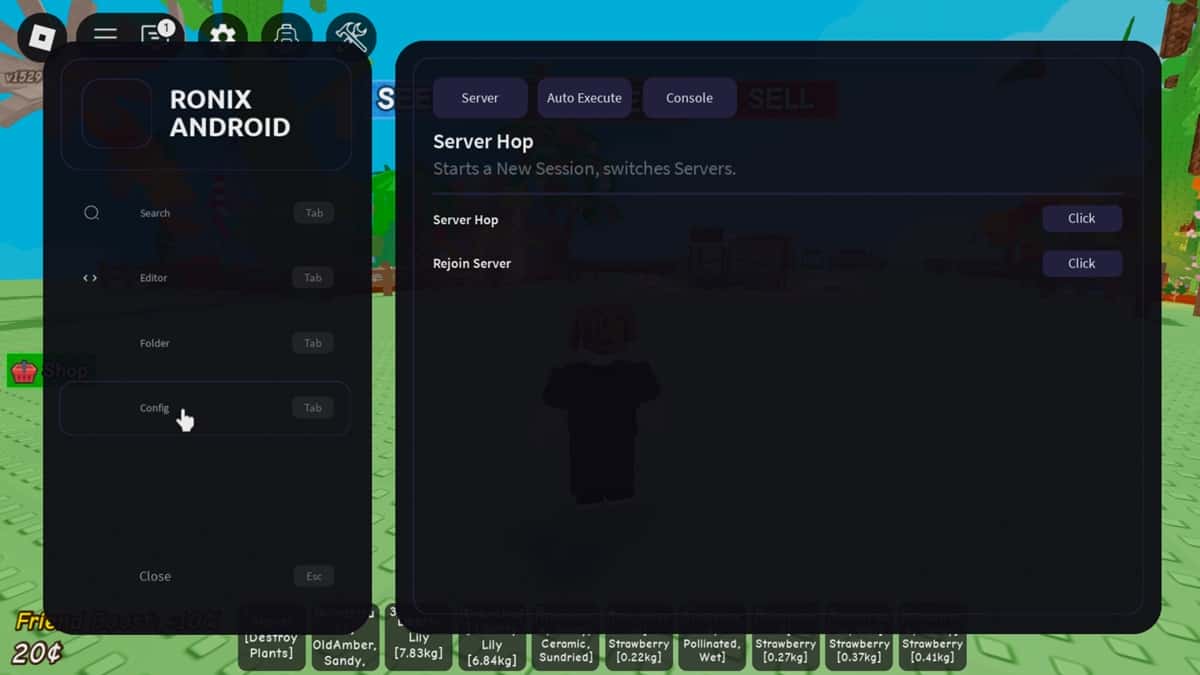
- Tap the icon to open the menu.
- Open the script editor and paste your script.
- Click the ▷ button to execute.
- The script dashboard will appear after successful execution.
For macOS Users
- Download the Ronix macOS installer from softlay.com.
- Allow permissions from macOS security settings if prompted.
- Install and launch Ronix Executor.
- Open Roblox and join a game.
- Launch Ronix, paste your script, and execute.
Why Choose Ronix Executor?
Ronix Executor is a trusted Roblox executor among many Roblox users because of the following reasons:
- It has a high success rate when it comes to the execution of scripts.
- It has a smooth performance on both low-end and high-end devices.
- It supports popular Roblox scripts.
- It receives frequent updates to ensure that it is stable and secure.
- It has an easy setup process.
If you are in search of a new Roblox executor that supports Android and macOS, then Ronix Executor is one of the best options available in the market today.
Final Words
Ronix Executor is a great option for those who want automation, script execution, and cross-platform support in Roblox. It has great compatibility, is easy to set up, and supports popular games, making it one of the best executors, alongside Krnl and Delta.
You can download the latest version of Ronix Executor safely from softlay.com and begin executing your Roblox scripts in just a few minutes.